Scan, sign & secure every document — privately.
DocScan Pro turns your phone into a pocket document office: a smart scanner with auto edge detection and OCR, a reader for PDF, Word, Excel and PowerPoint, and an AES-256 vault — without sending a single file to the cloud.
- No account needed
- Works offline
- EN · AR · FR · ES
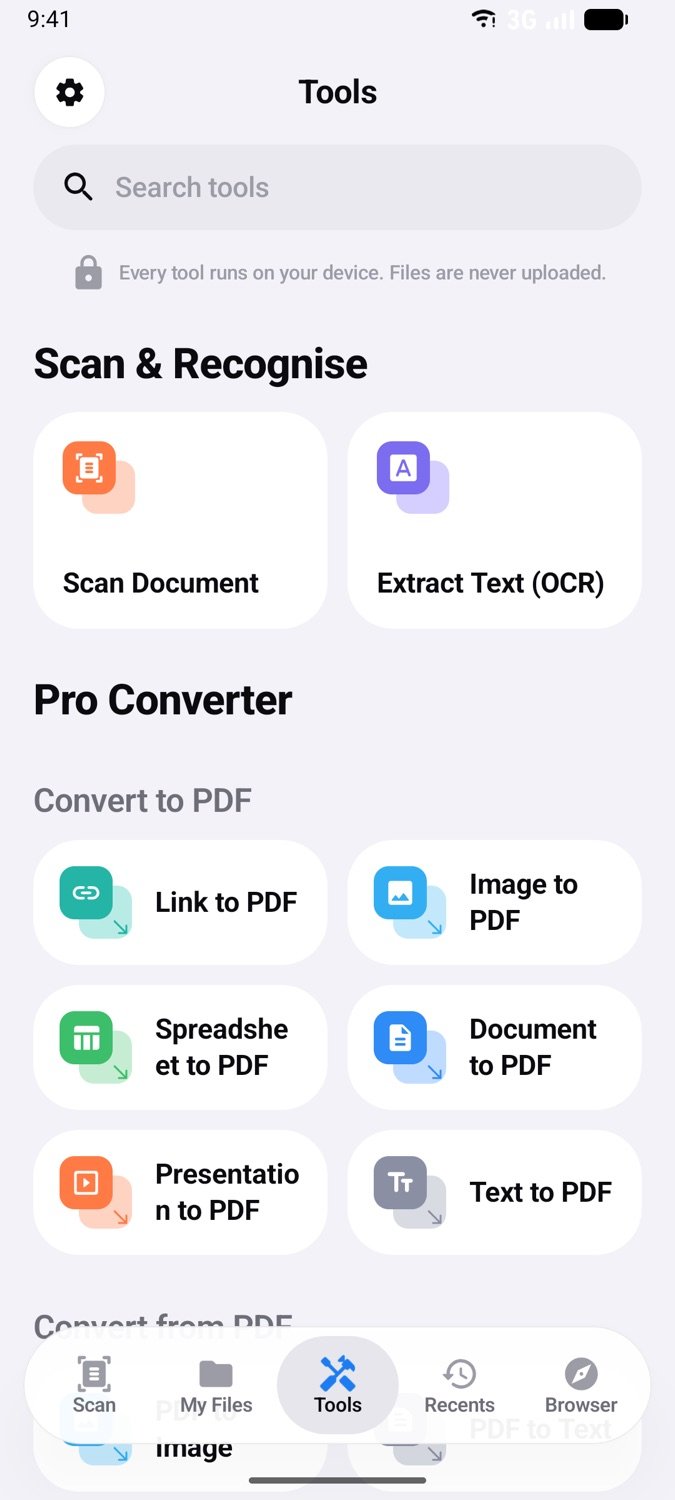
One app for every document you own
Read any format, scan anything with paper on it, and keep what matters encrypted — all from the same clean, fast interface.
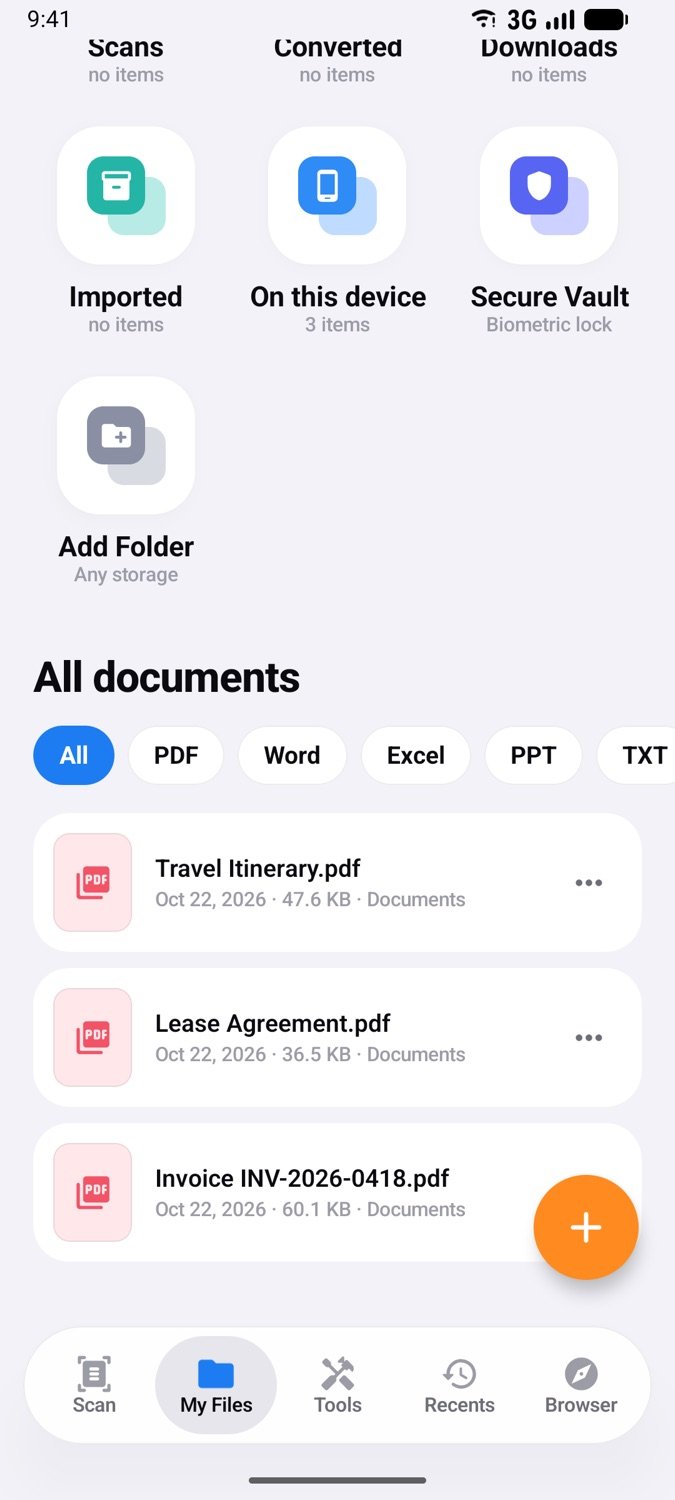
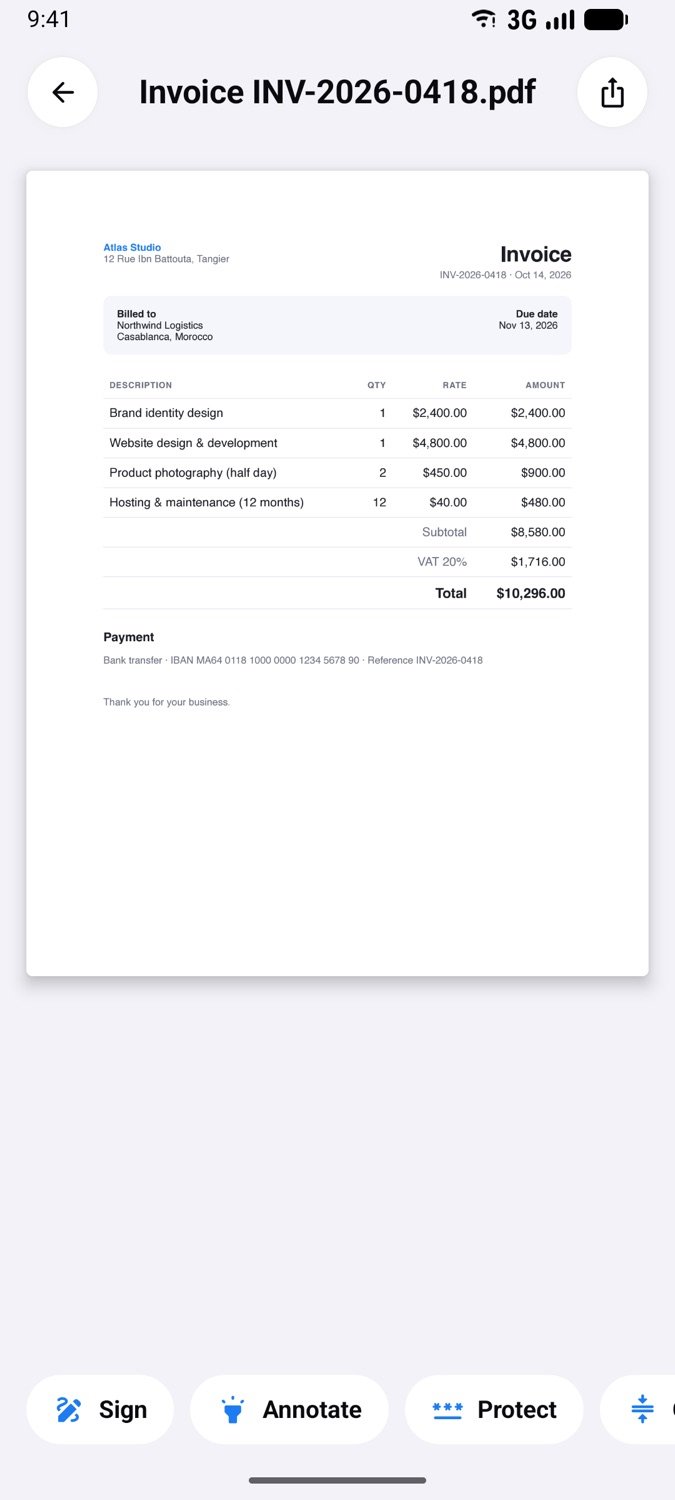
Read every format
Open PDF, Word, Excel and PowerPoint files with a smooth, zoomable viewer — and turn any of them into a PDF in one tap.
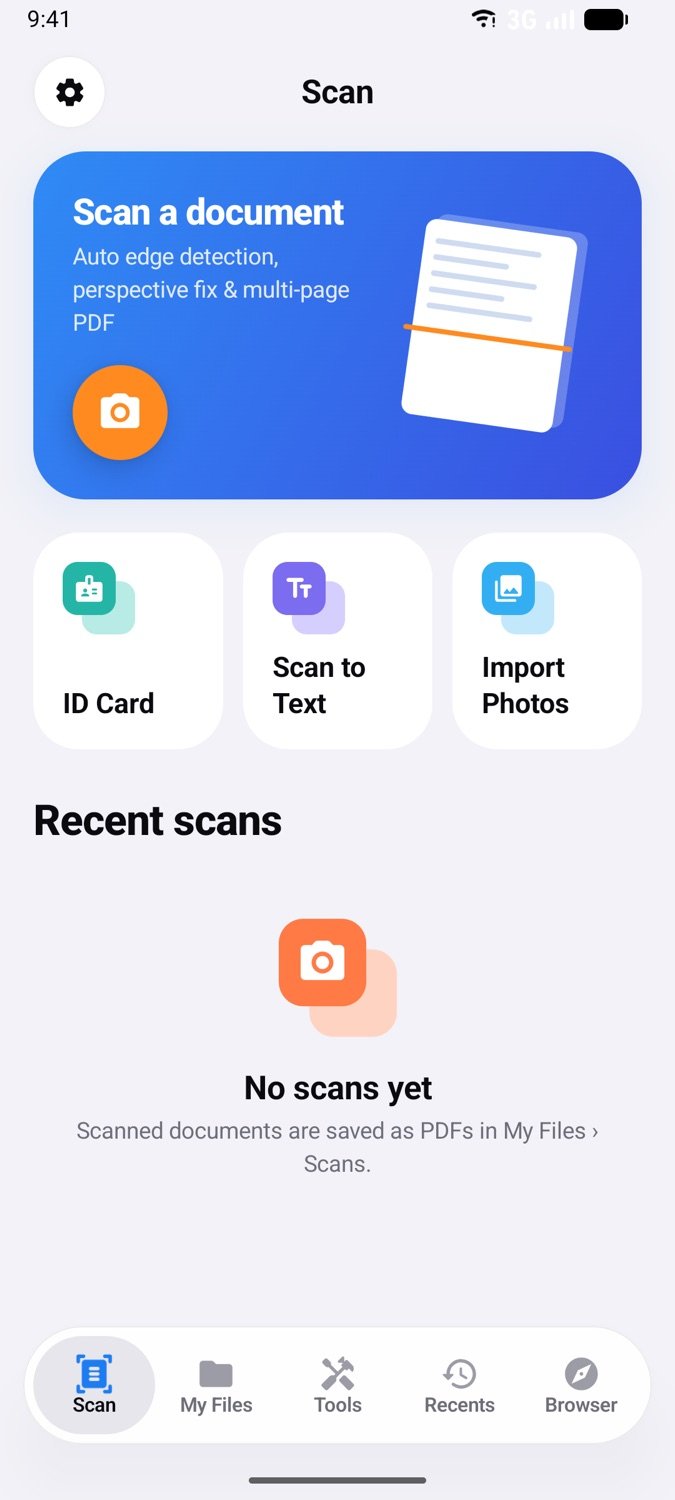
Scan like a pro
Google ML Kit finds the page edges, fixes perspective and cleans up shadows. Multi-page PDFs, ID cards on one A4 sheet, and on-device OCR that turns photos into editable text.
- Auto edge detection & perspective fix
- Magic Color, B&W, Grayscale, No Shadow
- ID card front + back on one page
- Text recognition (OCR), offline
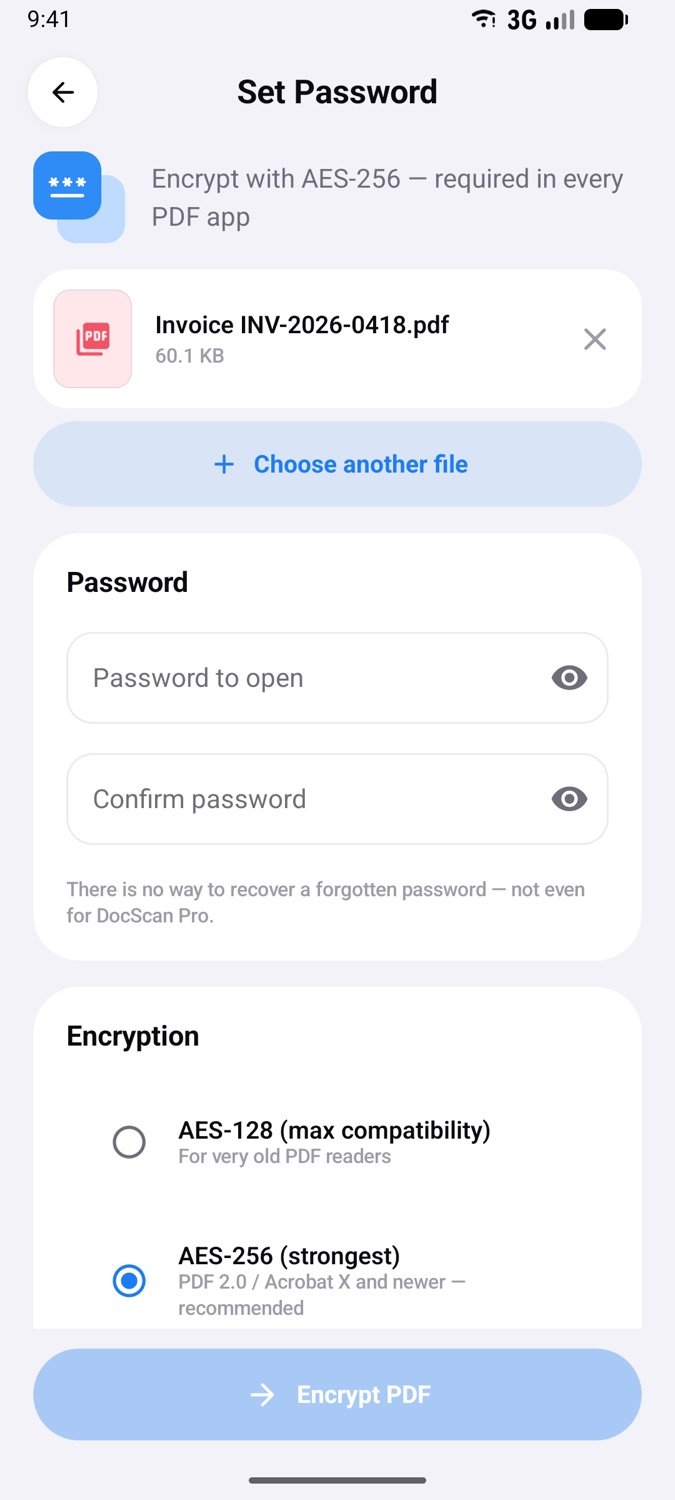
AES-256 encrypted vault
Lock PDFs with AES-256 passwords that every PDF app respects, and hide private files in a biometric vault whose key never leaves your phone's secure hardware.
Private web downloader
Browse and download documents in a built-in incognito browser. History, cookies and cache are wiped the moment you leave, and files land straight in My Files.
Sign & annotate
Draw and reuse your signature, add dates, highlight and mark up pages.
Merge, split & reorder
Manage pages, rotate, delete, merge PDFs or split by range.
Compress & convert
Shrink PDFs for email; export pages as images or text.
True redaction
Black out sensitive text permanently — not just covered.
Your documents never leave your phone.
Contracts, IDs, bank statements and medical records deserve better than a cloud you don't control. DocScan Pro does all of its work locally — the way a document app should.
Read the privacy policyProcessed on your phone
Scanning, OCR, conversion, compression and encryption never touch a server.
Nothing to sell
No account, no ads, no analytics SDKs — there's no data to collect in the first place.
Keys you control
Vault keys live in hardware-backed Android Keystore. We can't read your files — nobody can.
From paper to protected PDF in seconds
Three steps, no sign-up, no upload.
Scan or import
Point your camera at any page, or pick files from your phone, Downloads or the private browser.
Edit & convert
Sign, annotate, reorder pages, compress, or convert Office files and images to PDF.
Protect & share
Add an AES-256 password or move files to the vault — then share only what you choose.
Questions, answered
Can't find what you need? Our support page has more help and a direct line to us.
Is DocScan Pro really free?
Yes. Every feature — scanning, OCR, PDF editing, conversion, compression, encryption and the private browser — is free, with no ads, no subscriptions and no account.
Are my documents uploaded anywhere?
No. Scanning, text recognition, conversion, compression and encryption all run on your phone. DocScan Pro has no servers that receive your files. The only network access is the private browser and the Link to PDF tool, which connect only to the pages you open.
Which file formats can I open?
PDF, Word (.docx), Excel (.xlsx, .csv), PowerPoint (.pptx), text files and images. Office files can be previewed in the app and converted to PDF.
How secure are password-protected PDFs and the Secure Vault?
PDF passwords use the standard AES-256 PDF encryption, so the file asks for its password in every PDF app on any device. The Secure Vault encrypts files with AES-256-GCM using a key stored in your phone's secure hardware, unlocked with your fingerprint, face or screen lock.
What happens to my browsing history in the in-app browser?
The browser is private by design: history, cookies, cache and website storage are erased automatically when you leave the Browser tab or close the app. Third-party cookies are blocked, and downloads are saved to My Files › Downloads.
Which languages and devices are supported?
DocScan Pro is available in English, Arabic (with full right-to-left layout), French and Spanish, on Android 8.0 and newer. Desktop versions for macOS and Windows are in development.
Your documents. Your phone. Nobody else.
Download DocScan Pro free on Google Play — desktop versions are on the way.